Let me ask you something.
You change the oil in your car every 5,000 miles, right? You service your HVAC before summer hits. You maintain your garage door so it does not crush your car one morning. You go to the dentist for a cleaning every six months. You probably even descale your coffee machine.
So here is the real question: when was the last time you maintained your website?
If you are like most business owners, the answer is somewhere between “when we launched it three years ago” and “wait, I am supposed to maintain a website?” And that is exactly why I get emergency calls on Monday mornings from panicked business owners whose sites went down over the weekend and nobody noticed until the leads stopped coming in.
I have been doing this for over 15 years. I have seen websites that were absolute rockets when they launched slowly degrade into unusable messes because nobody touched them for two years. I have seen WordPress sites running versions so old that known security vulnerabilities were basically a welcome mat for hackers. I have cleaned up more malware infections than I can count, and almost every single one could have been prevented with basic, regular maintenance.
Your website is not a “set it and forget it” asset. It is a living piece of software that needs regular care, just like everything else you own. Here is why, what happens when you ignore it, and exactly what proper maintenance looks like.
You Maintain Everything Else. Your Website Is No Different.
Think about the things you maintain without even questioning it:
- Your car: Oil changes, tire rotations, brake pads, fluid checks. You do these because you know that skipping them means your car dies on the highway at the worst possible moment.
- Your HVAC system: Annual servicing before summer and winter. You do this because you know that a broken AC in August is both miserable and expensive.
- Your garage door: Spring tension checks, track lubrication, sensor alignment. You do this because a garage door failure can literally destroy property or hurt someone.
- Your teeth: Cleanings every six months. You do this because you know that ignoring a small cavity means a root canal later.
- Your home: Roof inspections, gutter cleaning, paint touch-ups. You do this because water damage and rot cost ten times more than prevention.
Every single one of these follows the same rule: a little regular maintenance costs a fraction of what emergency repairs cost. And the emergency always happens at the worst possible time.
Now ask yourself: what does your website do for your business?
For most of my clients, their website is their number one source of leads. It is the first thing potential customers see. It is open 24/7, generating phone calls, form submissions, online bookings, and revenue while you sleep. If your website goes down on a Friday night and stays down until Monday morning, how much business did you lose? How many potential customers went to your competitor instead?
Yet most business owners spend more time maintaining their coffee machine than their website.

What Actually Happens When You Do Not Maintain Your WordPress Site
Let me tell you some real stories. Names changed, but every single one of these happened in my 15+ years of cleaning up messes.
The Roofing Company That Lost a Month of Leads
A roofing company in Michigan had a great website. Custom-built, fast, optimized for local SEO. They launched it and then essentially forgot about it for 18 months. WordPress core went through six major updates in that time. Their theme and plugins fell further and further behind.
One day, an auto-update for a plugin conflicted with their outdated theme and the entire site displayed a white screen. Nobody noticed for 11 days. Eleven days of zero leads from their website during peak roofing season. By the time they called me in a panic, they had lost roughly $40,000 in potential contracts. The fix took me four hours. The maintenance that would have prevented it would have taken fifteen minutes per month.
The Dental Practice With Malware
A dental practice in Texas had a WordPress site running version 4.9. I found this out in 2025. WordPress 4.9 was released in November 2017. That is eight years without updating the core software. Their site had accumulated so many security vulnerabilities that it was essentially being used to send pharmaceutical spam to thousands of people.
Their hosting provider finally shut them down and suspended their account. Rebuilding and cleaning the site took a week. Their domain reputation took months to recover. The cost of the emergency fix was four times what two years of regular maintenance would have cost.
The Auto Repair Shop With a Defaced Homepage
An auto repair shop in Ohio woke up one morning to find their homepage replaced with some nonsense about cryptocurrency and a cartoon character. Their site had been hacked through an abandoned plugin that had not been updated in two years. The plugin was not even active. It was just sitting there, installed but deactivated, and still served as an entry point for attackers.
Lesson: deactivated plugins are still a security risk. If you are not using a plugin, delete it completely.
These are not horror stories I read about online. These are real clients who called me in desperation. Every single situation was 100% preventable with basic, regular WordPress maintenance.
What WordPress Maintenance Actually Includes
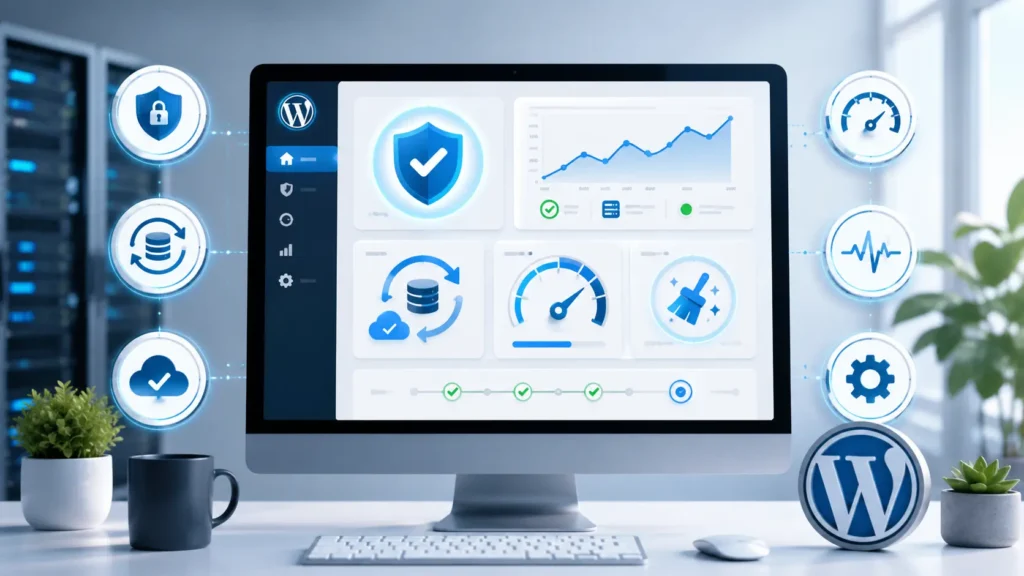
When I talk about maintenance, I am not talking about “checking in once in a while.” Proper WordPress maintenance is a structured, recurring process. Here is exactly what I do for my maintenance clients:
| Task | Frequency | Why It Matters |
|---|---|---|
| Off-site backups | Daily | If your site gets hacked or your server crashes, you need a clean restore point that is not stored on the same server. Off-site means it survives anything. |
| Security monitoring | 24/7 automated + weekly manual | Malware scans, firewall logs, failed login attempts, file changes. Catch threats before they become disasters. |
| WordPress core updates | As released (typically bi-weekly) | Each update patches security holes and fixes bugs. WordPress releases security updates regularly, and hackers actively target sites running old versions. |
| Plugin and theme updates | Weekly | Tested on staging first, then applied. Never blindly auto-update. One bad plugin update can break your entire site. |
| Uptime monitoring | Every 60 seconds | I know your site is down before you do. In most cases, I have it back up before anyone notices. |
| Performance checks | Monthly | Core Web Vitals monitoring, page speed analysis, database optimization. Speed degrades over time if nobody watches it. |
| Database optimization | Monthly | Clean up post revisions, spam comments, transients, and overhead. Keeps your database lean and queries fast. |
| Broken link checking | Monthly | Broken links hurt user experience and SEO. I find and fix them before Google penalizes you for them. |
| SSL certificate monitoring | Ongoing | An expired SSL certificate shows a scary warning to visitors. Most of them leave immediately. I track expiration dates and renew before they lapse. |
| Monthly report | Monthly | A clear summary of everything done, site health status, traffic trends, and any recommendations. No surprises. |
This is not optional busywork. Every item on this list directly prevents a disaster that I have personally had to fix for someone who skipped maintenance.
The Real Cost: Maintenance vs Emergency Repair
Let me break down the math. These are real numbers from real projects:
| Scenario | Cost Without Maintenance | Cost With Monthly Maintenance |
|---|---|---|
| Hacked site – malware cleanup | $500 – $2,500+ one-time | Prevented entirely |
| White screen / fatal error | $200 – $600 one-time + lost leads | Caught on staging, never reaches live site |
| Database crash | $500 – $1,500 + possible permanent data loss | Daily off-site backups = instant restore |
| Expired SSL certificate | Lost visitor trust + $100 fix | Renewed before expiration |
| Speed degradation over time | SEO ranking drops, fewer leads | Monthly performance tuning prevents degradation |
| Outdated abandoned plugin exploited | $300 – $1,000+ cleanup | Unused plugins removed proactively |
But the real cost is not just the emergency repair bill. The real cost is lost revenue.
If your roofing website generates 5 leads per day and your average job is $8,000, every day your site is down costs you potentially $40,000 in lost opportunities. If your dental practice gets 3 new patient inquiries per day and each new patient is worth $2,500 over their lifetime, a week of downtime costs you $52,500 in future revenue.
You would never skip oil changes to save $60 and risk a $6,000 engine replacement. So why skip website maintenance to save a few hundred dollars and risk thousands in lost revenue?

The Silent Killer: Gradual Speed Degradation
Not all website problems are dramatic crashes. Some are slow and invisible until you check your numbers.
Websites naturally get slower over time if nobody maintains them. Here is how it happens:
- You add new images without compressing them properly
- Your database fills up with post revisions, spam comments, and transients
- Plugins add their own CSS and JavaScript that accumulates
- Your hosting server runs an outdated PHP version
- Your caching configuration becomes stale or breaks
- Third-party scripts (chat widgets, analytics, pixels) pile up
Six months after launch, your 1.2-second site is loading in 2.5 seconds. A year later, it is at 4 seconds. Two years later, 6+ seconds. Every second of load time reduces your conversion rate by roughly 7%. By the time your site loads in 6 seconds, you have lost over 25% of your potential conversions compared to a 1-second site.
Google notices too. Core Web Vitals are a confirmed ranking factor. A slow site ranks lower. Lower rankings mean less traffic. Less traffic means fewer leads. Fewer leads means less revenue. All because nobody maintained the site.
Security Is Not a One-Time Setup
Here is something most business owners do not understand: WordPress security is a moving target.
New vulnerabilities are discovered every single week. In 2024 alone, Wordfence reported thousands of plugin vulnerabilities across the WordPress ecosystem. Every one of those vulnerabilities is an open door on sites running outdated software.
Hackers do not target your site specifically. They use automated bots that scan millions of websites looking for known vulnerabilities. If your site is running an old version of a popular plugin with a known security hole, the bots find it within hours. You do not need to be special or high-profile. You just need to be behind on updates.
I have cleaned malware from a small local bakery’s website. A bakery. The hacker was not interested in stealing cake recipes. They wanted to use the server to send spam and host phishing pages. It cost the bakery their domain reputation, their email deliverability, and two weeks of their website being completely gone from Google search results.
Proper maintenance closes these doors before anyone walks through them. Security monitoring catches suspicious activity immediately, not three weeks later when your hosting company sends you a shutdown notice.
Backups: The One Thing You Will Wish You Had
Nobody thinks about backups until they need one. And when you need one, you need it right now and it needs to be clean and recent.
Not all backups are equal:
- Hosting company backups: Often stored on the same server as your site. If the server dies, your backups die with it. Also, many hosts only keep backups for 24-48 hours. If you do not notice a problem for three days, your backup is gone.
- Plugin-based backups on the server: Better than nothing, but still vulnerable to server failure. Also, backup plugins can be resource-intensive and slow down your site.
- Off-site, automated daily backups: Stored on a completely separate server, often in a different physical location. Your site could literally catch fire and your backup survives. This is what I set up for all my maintenance clients.
I also test restores regularly. A backup that has never been tested is not a backup. It is a wish. I have seen corrupted backup files that looked fine until someone actually tried to restore from them.

Who Should Handle Your WordPress Maintenance?
You have three options:
Option 1: Do It Yourself
Reality check: Do you have time to log in weekly, check for updates, test them on a staging site, run security scans, monitor uptime, optimize the database, check broken links, review performance metrics, and stay current on WordPress security news? If you are running a business, probably not. Your time is better spent doing what you actually do for revenue.
Risk level: High. Things get missed. Updates break things. Most DIY maintainers eventually give up and stop doing it entirely.
Option 2: Hire a Cheap “Maintenance Service”
Reality check: There are services that offer “WordPress maintenance” for $29/month. They run automated updates and call it a day. They do not test updates on staging. They do not fix things when they break. They do not answer your emails when something goes wrong. You get exactly what you pay for.
Risk level: Medium. Automated updates without testing cause as many problems as they solve.
Option 3: Hire a Developer Who Actually Cares
Reality check: When I take on a maintenance client, I treat their site like my own. Updates are tested on staging before production. Backups are verified. Security is monitored 24/7. When something breaks, I fix it immediately, not “within 48 business hours.” When you email me, I respond. Every time.
Risk level: Low. This is the option that actually prevents disasters instead of reacting to them.
What My Maintenance Clients Get
When you are on my maintenance plan, here is what you can expect:
- Daily off-site backups stored securely with 30-day retention
- 24/7 security monitoring with instant alerts and response
- Weekly plugin, theme, and core updates tested on staging first
- Uptime monitoring every 60 seconds so I know before you do
- Monthly performance reports with actionable insights
- Database optimization to keep your site running fast
- Broken link detection and fixing to protect your SEO
- SSL certificate monitoring and renewal
- Priority support when you need changes or encounter issues
- Peace of mind knowing someone actually cares about your website
Most importantly: I answer my emails. I pick up the phone. You are not submitting tickets into a void. You are talking to the person who actually maintains your site.
The Psychology of Website Neglect
Let me be direct for a moment. Here is why most business owners neglect their websites:
“It is working fine right now.” So is your car, until it is not. Maintenance is about preventing the breakdown, not reacting to it. By the time your website is “not working fine,” the damage is already done.
“I do not understand the technical stuff.” You do not need to. That is exactly why you hire someone who does. You do not change your own oil if you are not mechanically inclined. You pay a professional. Same principle.
“It costs money and I do not see immediate results.” This is the biggest trap. Maintenance is invisible by design. A well-maintained site looks exactly like a neglected site, right up until the neglected site crashes. The value is in what does not happen: no downtime, no hacks, no lost leads, no emergency repair bills, no SEO penalties.
“I will get to it eventually.” Every client I have ever done emergency repairs for said this exact thing six months before they called me in a panic.
adBusiness owner relaxed knowing their WordPress website is professionally maintained and monitored

Just Like Your Garage Door, Your Website Needs Regular Care
Think about your garage door for a moment. It is the largest moving object in your home. It weighs hundreds of pounds. It opens and closes thousands of times per year. If a spring breaks or a cable snaps, it can cause serious damage or injury.
So you maintain it. You lubricate the tracks. You check the springs. You test the auto-reverse safety feature. You do these things because the cost of prevention is a fraction of the cost of failure.
Your website is exactly the same. It is a complex piece of software that works constantly, handles sensitive data, and directly impacts your revenue. It needs regular attention from someone who knows what they are doing. A small investment in maintenance prevents catastrophic failures that cost orders of magnitude more to fix.
You maintain your car so it gets you to work tomorrow. You maintain your HVAC so your customers are comfortable. You maintain your garage door so it opens when you get home. Maintain your website so it keeps generating leads while you sleep.
Ready to Stop Playing Website Roulette?
If your WordPress site has not been touched in months (or years), you are not alone. Most business owners are in exactly the same position. But now you know what is at stake: your leads, your revenue, your reputation, and your peace of mind.
I have been maintaining WordPress websites for over 15 years. I have seen everything that can go wrong, and I know exactly how to prevent it. Whether you need a one-time audit and tune-up or ongoing monthly maintenance, I can help.
Do not wait for the Monday morning panic call. Let us get your site on a maintenance plan before something breaks.
Get Your Free Website Health Check →
Fast response – free initial consultation – no obligation. I will take a look at your site and tell you honestly what it needs.
About the author: Dusan Miladinovic is a WordPress developer with 15+ years of experience. He has built and maintained over 400 WordPress websites for American businesses across roofing, auto repair, dental, legal, chiropractic, HVAC, fitness, construction, and many other industries. He offers custom WordPress development, website redesign, SEO optimization, and ongoing maintenance plans. He has been working with Elementor Pro since 2016.